Welcome to Social Intents

10 min read Updated Mar 11, 2026 Quick Start

Social Intents is a live chat and AI chatbot platform used by over 50,000 businesses to talk to website visitors directly from the tools they already use - Microsoft Teams, Slack, Google Chat, Zoom, or Webex. There is no new software to learn, no separate dashboard to stare at, and no additional app to keep open. Your team responds to live chats from the same platform they already use every day for internal communication.

With Social Intents, you can deploy an AI chatbot powered by ChatGPT, Claude, or Gemini that handles the majority of visitor questions automatically - and hands off complex or sensitive conversations to a human agent in real time, inside your team's existing chat platform.

Here you will find what Social Intents does, who it is built for, how the platform works from a visitor's perspective and from your team's perspective, and where to go next to set up your account.

What Social Intents Does

Social Intents connects a chat widget on your website to your team's collaboration platform. When a visitor types a message in the chat widget on your site, the message appears as a conversation in your Teams channel, Slack workspace, Google Chat space, Zoom Team Chat, or Webex space. Your team replies directly from there - and the visitor sees the response instantly in the chat widget on your website.

You can also attach an AI chatbot to any chat widget. The chatbot uses large language models - ChatGPT, Claude, or Gemini - trained on your content. It answers visitor questions using your website pages, uploaded PDFs, support documents, and custom Q&A pairs. The chatbot works 24 hours a day, 7 days a week, and it knows when to escalate a conversation to a human agent.

Beyond basic chat, Social Intents offers AI Actions - automated workflows that trigger during a conversation. Your chatbot can book Calendly meetings, create leads in HubSpot or Salesforce, call custom REST APIs, show buttons and embedded content, and route conversations to specific team channels based on conversation context.

Key Capabilities at a Glance

CapabilityWhat It DoesSaiba mais
Live Chat from Teams, Slack, Google Chat, Zoom, or WebexWebsite visitors chat in real time with your team. Agents respond from the collaboration platform they already use. No separate inbox or dashboard required.Choosing Your Agent Integration
Chatbots com IA (ChatGPT, Claude, Gemini)Deploy AI chatbots trained on your website, documents, and FAQs. The chatbot handles the first response, answers common questions, and escalates when needed.Build Your First AI Chatbot
AI Actions & AutomationsAutomate workflows during chat - book Calendly meetings, capture leads to HubSpot/Salesforce/Dynamics 365, call custom APIs, show buttons and links, and route conversations to specific teams.O que são ações de IA?
Escalation RoutingAI automatically routes conversations to the right team channel based on the topic - sales, support, billing, or any custom department. No manual triage needed.Escalation Routing
Multi-Channel Visitor SupportReach visitors on your website chat widget, WhatsApp Business, and SMS (via Twilio) from a single platform and dashboard.Visitor Channels
Widget CustomizationCustomize chat widget colors, position, branding, pre-chat forms, welcome messages, offline behavior, and language. Use the JavaScript SDK for advanced control.Customizing Widget Appearance
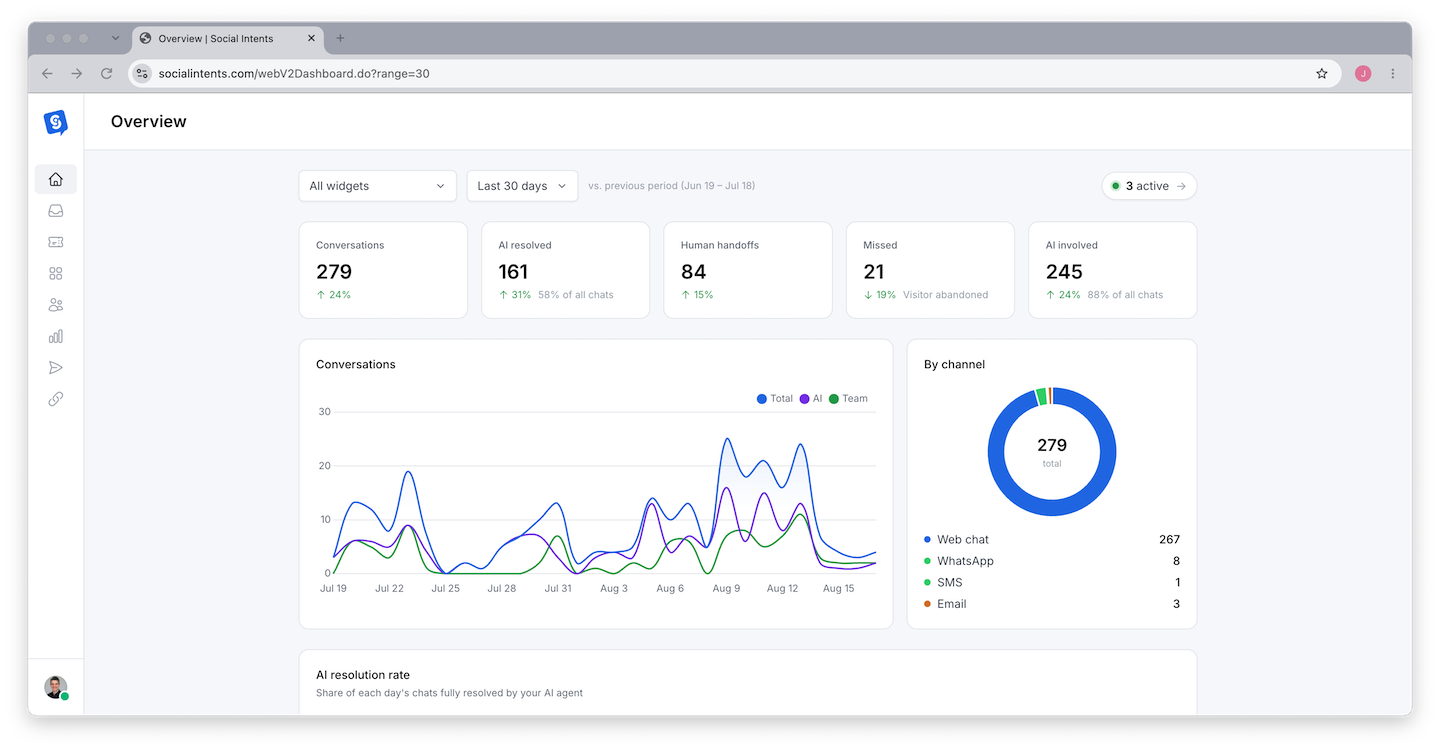
Reporting & AnalyticsTrack chat volume, agent performance, response times, customer satisfaction scores, and export leads. Review full chat transcripts.Reports Dashboard Overview

How It Works - The Visitor Experience

Here is the complete flow from a visitor's perspective when they interact with your chat widget:

The visitor sees a chat button on your website. The button sits in the bottom corner of every page where you install the widget code. It displays your custom text - like "Chat with us" or "Need help?" - and uses your brand colors.
They click the button and see a welcome message. The chat window opens with a friendly greeting you've customized. If you have a pre-chat form enabled, the visitor enters their name and email first.
They type a question. The message is sent to your AI chatbot (if enabled) or directly to your team's platform channel.
The AI chatbot responds instantly. Using its training data - your website pages, uploaded PDFs, and custom Q&A pairs - the chatbot provides an accurate answer drawn from your actual content. This happens in seconds, 24/7, even when your team is offline.
If the chatbot can't answer, or the visitor asks for a human, the conversation is escalated. The visitor sees a message like "Let me connect you with a team member" and the full conversation is forwarded to the correct Teams channel, Slack channel, or Google Chat space.
A human agent picks up the conversation. They see the complete chat history - everything the visitor said and everything the chatbot answered - so they have full context. The agent replies from their platform, and the visitor sees the response in the chat widget. The conversation continues in real time.
No separate inbox for your team. This is the key differentiator. Your team never needs to log into a separate support dashboard. Every chat conversation appears directly in the platform they already use for internal communication - Teams, Slack, Google Chat, Zoom, or Webex. This means faster response times, less tool fatigue, and higher adoption from your team.

How It Works - The Agent Experience

From your team's side, here is what the experience looks like:

When a New Chat Arrives

A new message appears in your designated channel - for example, a #customer-chat channel in Slack or a Bate-papo ao vivo channel in Microsoft Teams. The message includes:

  • The visitor's name and email (if collected via pre-chat form)
  • The page URL the visitor is currently on
  • The visitor's location, browser, and device information
  • The full conversation with the AI chatbot (if the chat was escalated)

Responding to the Visitor

Your agent simply replies in the thread - exactly like replying to any other message in Teams or Slack. The response is delivered instantly to the visitor's chat widget. There are no special commands, no switching between tools, and no learning a new interface.

When the Chat Ends

When the conversation is resolved, the chat can be closed. The full transcript is stored in your Social Intents dashboard under Chat Transcripts and History, where you can review it, export it, or use it to improve your chatbot's training.

Who Uses Social Intents

Social Intents is built for teams that want to provide live chat and AI-powered support without adding complexity to their tool stack. Over 50,000 businesses use Social Intents, including:

  • Customer support teams - Answer product questions, troubleshoot issues, and resolve tickets in real time through Teams, Slack, or Google Chat
  • Sales teams - Engage website visitors the moment they show interest, qualify leads using AI chatbot questions, and book meetings through Calendly integration
  • SaaS companies - Provide in-app support, onboard new users with AI-assisted chat, and reduce support ticket volume with chatbot automation
  • E-commerce stores - Help shoppers find products, answer shipping and return questions, and reduce cart abandonment with proactive chat triggers
  • Professional services firms - Offer initial consultations, answer FAQs, and schedule appointments without phone tag
  • Marketing agencies - Deploy custom-branded chat widgets for multiple clients, each with its own chatbot, settings, and platform integration

Supported Integrations and Platforms

Agent Platforms (Where Your Team Responds)

PlataformaIntegration TypeGuia de configuração
Microsoft TeamsNative bot integration with channel-based routingConnect to Microsoft Teams
SlackSlack app with channel-based routingConnect to Slack
Bate-papo do GoogleGoogle Workspace Chat app with space-based routingConnect to Google Chat
ZoomZoom Team Chat with optional video escalationConnect to Zoom
WebexWebex spaces with optional video escalationConnect to Webex

Website Platforms (Where You Install the Widget)

Social Intents works on any website. Just paste one line of JavaScript before the closing </body> tag. If you use a specific CMS or website builder, we have dedicated installation guides:

Third-Party Integrations

  • CRM: HubSpot, Salesforce, Microsoft Dynamics 365 - automatically create leads from chat conversations
  • Scheduling: Calendly - book meetings directly from the chat widget
  • Automation: Zapier - connect to 5,000+ apps with triggers and actions
  • Webhooks - Send chat data, leads, and transcripts to your own endpoints
  • REST API - Access chat data and widget configuration programmatically
  • Google Analytics - Track chat events as GA4 events for conversion measurement

Explore our complete app integrations directory for additional pre-built connections.

Plans and Pricing Overview

Social Intents offers four plans. Every plan includes AI chatbots, live chat, and a 14-day free trial with no credit card required. See full pricing details.

PlanMonthly PriceChat WidgetsAgentsConversations/MonthIdeal para
Iniciante$3913200Small teams getting started with live chat and AI
Básico$692Ilimitado1,000Growing teams that need unlimited agents
Pro$995Ilimitado5,000Multi-site businesses with higher volume
Negócios$19910Ilimitado10,000Larger organizations with heavy chat traffic
Unlimited agents on Basic and above. Unlike most live chat tools that charge per agent seat - where costs grow linearly with team size - Social Intents includes unlimited agents on the Basic plan ($69/month) and above. Add your entire support team, sales team, and engineering team without increasing your cost. This is one of the biggest differentiators compared to competitors like Intercom, Zendesk Chat, and Drift.

Getting Started - Your First Five Minutes

Here is the fastest path from signing up to having a working chat widget on your website:

Create your account. Sign up at socialintents.com to start your 14-day free trial. No credit card required.
Connect your team platform. Click "Add to Teams," "Add to Slack," or whichever platform your team uses. Authorize the connection and choose a channel for incoming chats.
Create a chat widget. Name your widget, write a welcome message, and optionally enable an AI chatbot. Train the chatbot by pasting a few website URLs.
Install the widget on your site. Copy the one-line JavaScript snippet and paste it before the </body> tag on your website - or use a plugin for WordPress, Shopify, etc.
Test it. Open your website, click the chat widget, and send a test message. Verify it arrives in your team platform and that your reply appears in the widget.

For a detailed walkthrough, see Set Up Your First Chat Widget.

Perguntas frequentes

Do I need to install any software?

No. Social Intents is entirely web-based. Your agents respond from the Teams, Slack, Google Chat, Zoom, or Webex apps they already have installed. The chat widget is added to your website with a single line of JavaScript - no server-side installation required.

Can the AI chatbot answer questions about my specific products and services?

Yes. The AI chatbot is trained on your content. You provide your website URLs, upload PDFs and documents, and write custom Q&A pairs. The chatbot uses this training data to answer questions accurately about your products, pricing, policies, and services. See Training Your Chatbot on Your Content.

O que acontece quando minha equipe está offline?

You have three options: (1) the AI chatbot continues to answer visitor questions 24/7, (2) visitors see an offline form where they leave their name, email, and message for your team to follow up, or (3) the chat widget hides entirely. Most teams choose option 1 - the AI chatbot handles after-hours conversations. See What Happens When Everyone Is Offline.

Can I use Social Intents on multiple websites?

Yes. Each chat widget can be installed on a different website with its own settings, branding, chatbot, and team channel. The Basic plan includes 2 widgets, Pro includes 5, and Business includes 10. See When to Use Multiple Chat Widgets.

Is Social Intents GDPR compliant?

Yes. Social Intents is compliant with the EU General Data Protection Regulation. We offer data processing agreements and provide tools for managing visitor consent and data retention. See GDPR Compliance.

What to Read Next

Ready to get started? Follow these guides in order:

  1. What Makes Social Intents Different - Understand the AI-first approach and how it compares to traditional live chat tools
  2. Choosing Your Agent Integration - Decide whether to use Microsoft Teams, Slack, Google Chat, Zoom, or Webex
  3. Set Up Your First Chat Widget - Create your first widget, connect your platform, and go live
  4. Previewing and Testing Your Chat - Test your widget before deploying to your live website
  5. Best Practices for Getting Started - Tips for a successful launch including welcome messages, chatbot training, and team setup