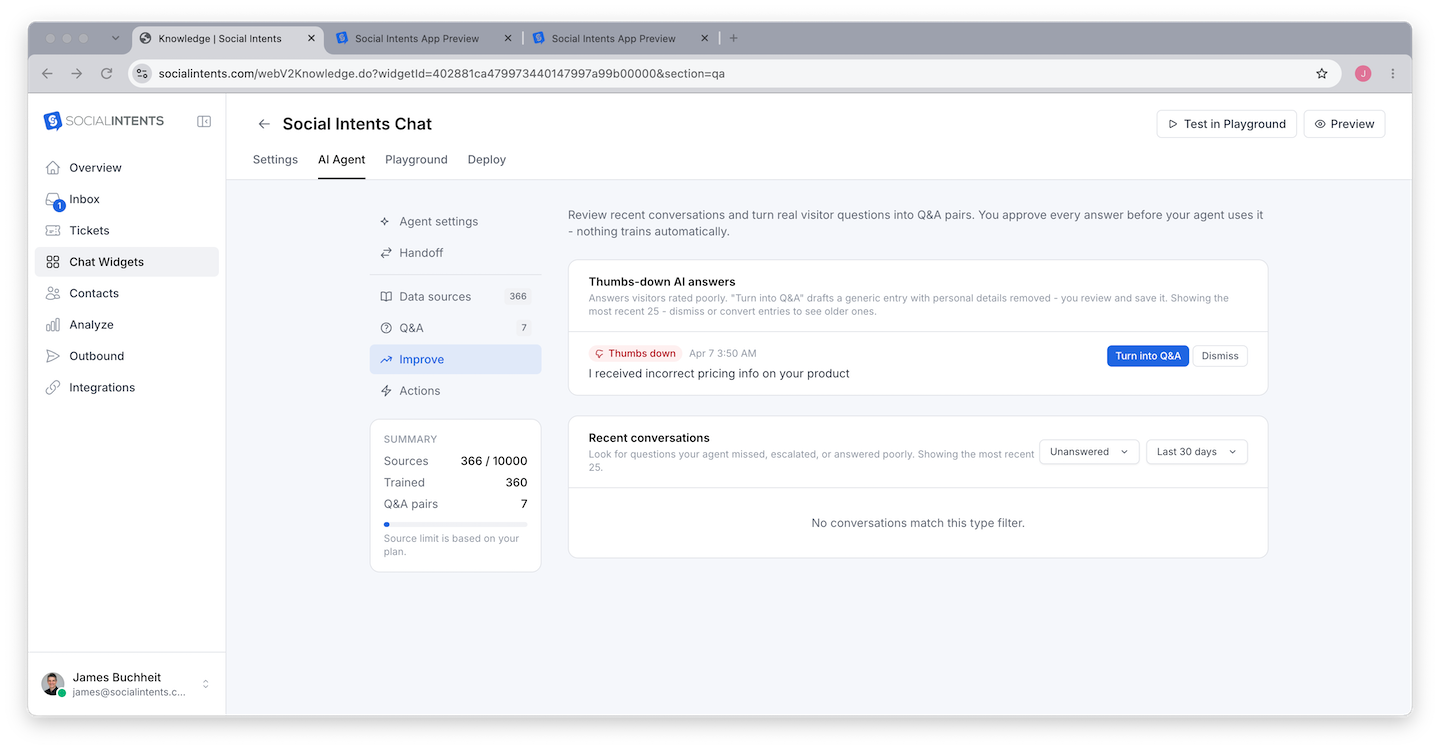
Getting your AI chatbot set up is one thing - getting it to respond accurately, consistently, and in the right tone takes ongoing refinement. Response quality is the difference between a chatbot visitors trust and one they abandon after the first message. Social Intents provides several tools and settings that directly affect your chatbot's response quality, including temperature controls, token limits, system instruction tuning, training content curation, and source display modes. This guide walks through every technique for improving your chatbot's responses.
Understanding What Affects Response Quality
Response quality in an AI chatbot is determined by multiple interacting factors. Here is the full picture:
| Factor | Setting / Tool | What It Controls |
|---|---|---|
| Knowledge accuracy | Training content | Whether the chatbot has the right information to answer questions |
| Behavior consistency | System instructions | How the chatbot phrases responses, what it includes and excludes |
| Response randomness | Temperature setting | Whether responses are deterministic or varied |
| Response length | Max tokens setting | How long or short responses are |
| Source transparency | Content display mode | Whether visitors see where the answer came from |
| Engine selection | Chatbot type | Which AI model generates responses |
Improving response quality usually means adjusting several of these factors together - not just one in isolation.
Temperature: Controlling Response Randomness
Temperature is a numeric setting that controls how deterministic or creative the AI's responses are. In Social Intents, it is configured in the Temperature field in your widget's AI Chatbot Settings tab.
How Temperature Works
The AI model generates responses by predicting the next word (token) based on probability. Temperature adjusts how those probabilities are applied:
| Temperature Range | Behavior | Ideal para |
|---|---|---|
| 0.0 – 0.3 (Low) | Highly deterministic. The model almost always picks the most probable word. Responses are consistent and predictable. Asking the same question multiple times gives similar answers. | Customer support, factual answers, technical documentation, compliance-sensitive contexts |
| 0.4 – 0.7 (Medium) | Balanced. Some variation in responses while maintaining accuracy. More natural-sounding than very low temperature but still reliable. | General customer interaction, balanced between creativity and consistency |
| 0.8 – 1.2 (High) | More creative and varied. Responses can differ significantly each time. May introduce unexpected phrasing or tangential information. | Marketing copy, brainstorming, creative engagement |
| 1.3 – 2.0 (Very High) | Highly random and unpredictable. Can produce incoherent or off-topic responses. Generally not suitable for customer-facing chatbots. | Not recommended for production chatbots |
Testing Temperature Changes
To find your ideal temperature:
- Start at 0.2 (low and consistent)
- Ask the same question five times in separate chats
- Review the responses for accuracy, consistency, and naturalness
- If responses feel too robotic or repetitive, increase by 0.1
- If responses feel too varied or occasionally include wrong information, decrease by 0.1
Max Tokens: Controlling Response Length
The Max Tokens setting in your widget's AI Chatbot Settings tab controls the maximum length of the chatbot's responses. One token is approximately three-quarters of a word - so 100 tokens is roughly 75 words, and 500 tokens is roughly 375 words.
Setting Guidelines
| Max Tokens | Approximate Length | Ideal para |
|---|---|---|
| 100 – 200 | 75 – 150 words | Quick FAQ answers, yes/no questions, simple redirects |
| 200 – 400 | 150 – 300 words | Standard customer support responses with explanation |
| 400 – 800 | 300 – 600 words | Detailed technical explanations, step-by-step instructions |
| 800+ | 600+ words | Comprehensive guides (rarely needed in chat context) |
Max Tokens and Cost
Higher max tokens does not always mean higher cost - the model only generates as many tokens as it needs to complete the response. Max tokens is a ceiling, not a target. However, if your system instructions encourage verbose responses and the max tokens limit is high, the chatbot may generate unnecessarily long responses that cost more per message.
Refining System Instructions
System instructions are the single most impactful tool for improving response quality. Even with perfect training data and optimal temperature settings, poorly written system instructions produce poor responses.
For a complete guide to writing system instructions, see Writing Effective System Instructions. Here are the key quality-focused refinements:
Add Response Format Rules
Tell the chatbot exactly how to structure responses:
Response format rules:
- Answer the question in the first sentence
- Provide supporting details in 1-2 additional sentences
- If the answer involves multiple steps, use numbered steps
- End with a follow-up question like "Is there anything else I can help with?"
- Keep total response under 100 words unless the visitor asks for more detail
Add Negative Examples
Show the chatbot what NOT to do:
Do NOT:
- Start responses with "Great question!" or "That's a great question!"
- Repeat the visitor's question back to them
- Use overly enthusiastic language
- Say "I'd be happy to help" before every response
- Provide information that contradicts our documentation
Add Topic-Specific Guidance
For common topics where you want precise responses:
When asked about pricing:
- Refer to our three plans: Starter ($39/mo, 3 agents), Basic ($69/mo, unlimited agents), Pro ($99/mo, 5 widgets)
- Mention the 14-day free trial
- Direct them to our pricing page for full details
- Do not negotiate or offer custom pricing in chat
Curating Training Content
The quality of your training content directly affects response quality. Here is how to optimize it:
Audit Your Training Content
- Review what you have - List all URLs, documents, and Q&A pairs currently in your training set
- Check for accuracy - Is all the content current? Are prices correct? Are feature descriptions accurate?
- Remove outdated content - Old pricing pages, deprecated features, and retired products cause wrong answers
- Fill gaps - Ask the chatbot questions about common topics. If it cannot answer, add training content for those topics
- Fix ambiguities - If similar topics could be confused (e.g., two products with similar names), add clarifying content
Write Training Content for the Chatbot
Sometimes your existing documentation is written for human readers and does not train well. Consider creating chatbot-specific training content that:
- Directly answers the most common visitor questions
- Uses clear, unambiguous language
- Avoids marketing fluff that can confuse the chatbot
- Includes specific details (numbers, names, URLs) the chatbot will need in answers
Source Display for Trust and Verification
Showing visitors where answers come from builds trust and helps you verify accuracy. Use the Content Display setting to control this:
- During testing - Set to "Show Top with Score" to see which training content is being retrieved and how relevant it is. Low relevance scores indicate the chatbot is stretching to find answers and may be inaccurate.
- In production - Set to "Refer to Article URLs" to link visitors to your documentation. This builds credibility and drives traffic to your help pages.
Iterative Improvement Process
Response quality is not a one-time setup - it is an ongoing process. Here is a practical workflow for continuous improvement:
Quality Checklist
Use this checklist to audit your chatbot's response quality:
| Check | What to Verify |
|---|---|
| Accuracy | Are answers factually correct? Do they match your official documentation? |
| Completeness | Does the chatbot answer the full question, or does it give partial answers? |
| Tone | Does the chatbot sound like your brand? Is the tone appropriate? |
| Length | Are responses the right length for a chat context? Not too long, not too short? |
| Consistency | Does the same question get similar answers each time? |
| Fallback handling | Does the chatbot handle unknown questions gracefully? |
| Escalation | Can visitors easily reach a human when needed? |
| Source attribution | Can visitors verify where answers came from? |
Perguntas frequentes
What temperature should I start with?
Start with 0.2 for customer support chatbots. This gives consistent, reliable responses. Increase to 0.4-0.5 if responses feel too robotic, but avoid going above 0.7 for production support bots.
How many tokens should I set for max response length?
For most support chatbots, 200-400 tokens works best. This produces responses of 150-300 words - long enough to be helpful but short enough for a chat interface. Adjust based on your typical response needs.
My chatbot makes up information. How do I stop it?
Add explicit instructions like "Only answer questions using the training content provided. If you do not have information to answer a question, say so clearly and offer to connect the visitor with a human agent. Never make up information." Also lower the temperature to 0.1-0.2 for more deterministic responses.
The chatbot's responses are too long. How do I shorten them?
Reduce max tokens, and add system instructions about brevity: "Keep responses under 100 words. Answer the question directly without unnecessary preamble. Use bullet points for lists instead of full paragraphs."
Can I see analytics on chatbot response quality?
Review chat transcripts in your Social Intents dashboard to evaluate response quality. Use the reporting tools to track chat volume, resolution rates, and escalation frequency. High escalation rates may indicate response quality issues.
How often should I review and refine my chatbot?
Review chat transcripts weekly for the first month after launch, then biweekly as the chatbot stabilizes. Major product updates, pricing changes, or new feature launches should trigger an immediate review and update of training content and system instructions.
Advanced Techniques
A/B Testing Response Styles
If you have multiple widgets, you can test different configurations side by side. Set up one widget with lower temperature and shorter max tokens, and another with slightly higher settings. Compare visitor engagement and escalation rates across the two widgets to determine which configuration produces better outcomes for your audience.
Using Conversation Context Effectively
The AI chatbot maintains conversation context within each chat session. This means it remembers what the visitor already asked and what the chatbot already answered. You can take advantage of this by adding system instructions that tell the chatbot to avoid repeating previously shared information and to build on earlier answers when responding to follow-up questions. Instructions like "If the visitor asks a follow-up question, reference the context from earlier in the conversation rather than starting from scratch" improve multi-turn response quality.
Engine-Specific Optimization
Each AI engine responds slightly differently to the same instructions and training content. If you are using Claude, you can include more detailed and structured instructions because Claude excels at following complex prompts precisely. If you are using ChatGPT, focus on concise instructions with clear examples, as ChatGPT responds well to few-shot prompting. Gemini benefits from structured data references and clear formatting expectations. See Choosing Your AI Engine for engine-specific guidance on optimizing response quality.
Monitoring with Source Scores
Temporarily set the Content Display mode to "Show Top with Score" and review response scores during testing sessions. If relevance scores are consistently low (below 0.7), it means the training content does not strongly match the questions being asked. This signals a need to add more targeted training content or rephrase existing content to better match visitor queries.